
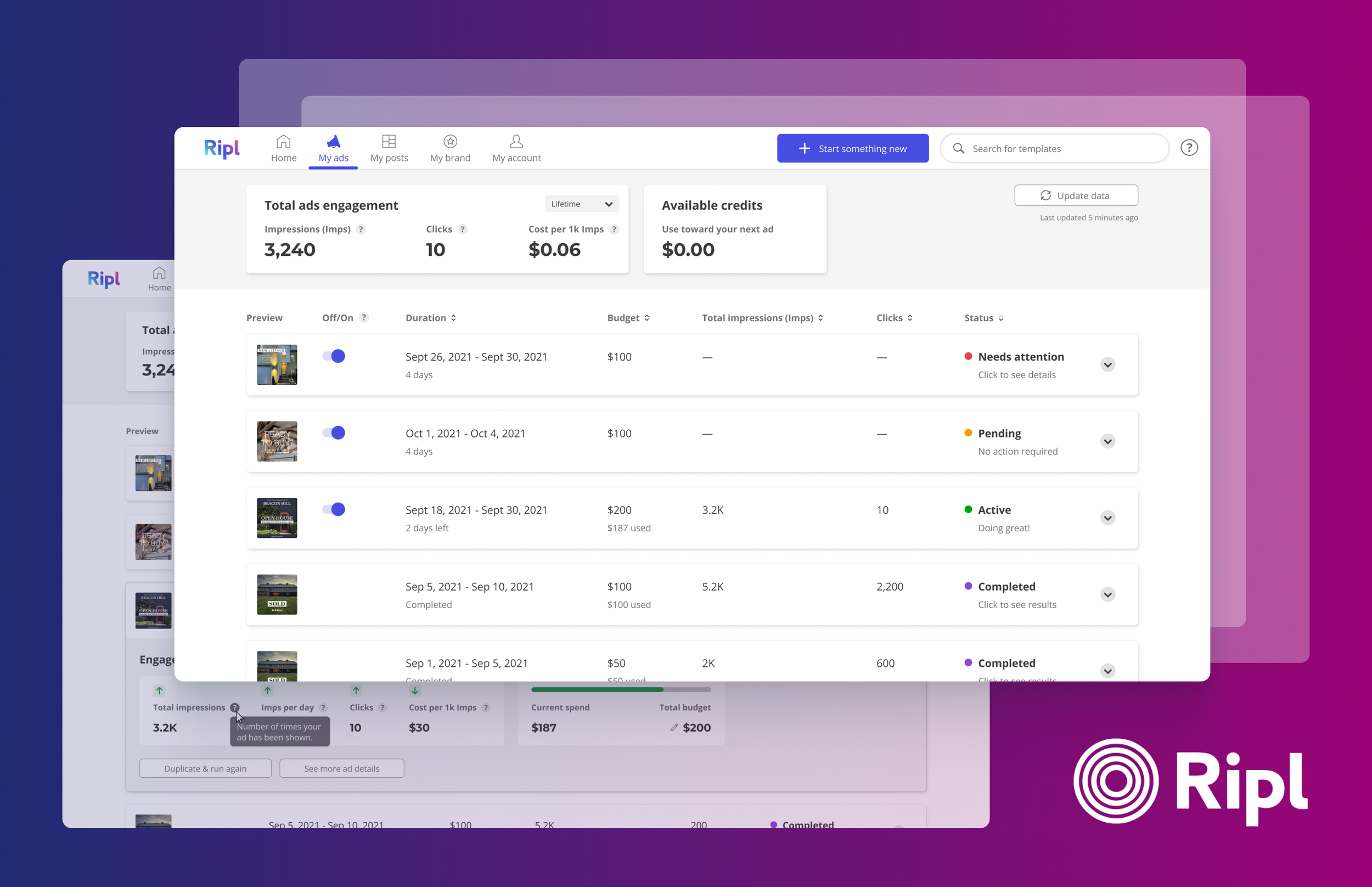
What is Ripl?
Ripl is a…
Social media content creation & scheduling tool for web app and mobile
Source to social media creation & success
Facebook & Instagram Ad creator & submitter
Who is the Ripl Customer?
Small business owners
Businesses with 1-5 employees on average
Majority of users are 45+ years old
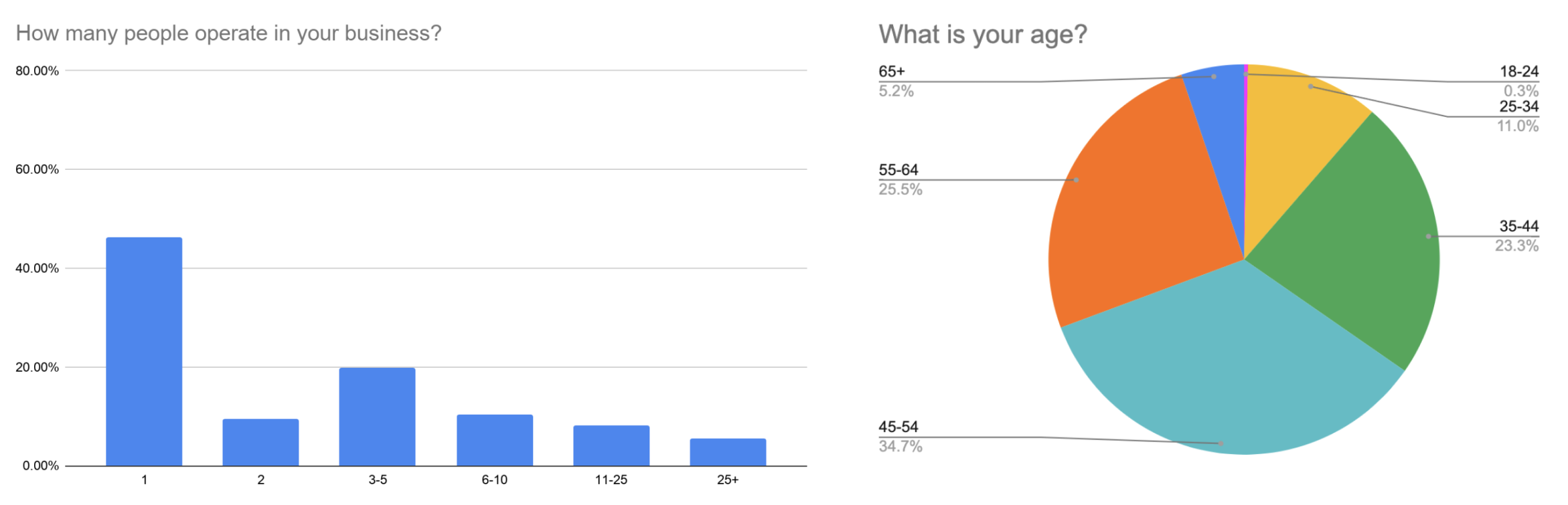
Data from 100 small business owners who use the Ripl app
Project Brief
Design An easy, simplified ad creation experience
Small business owners and Ripl users know the importance of ads, but are frustrated by the Facebook submission experience
Biggest user pain points: Rejected ads, FB interface
WHY?
Business owners have incentive to continue making ads (every 3-4th post in the Instagram feed is an ad)
We can enable users to create digital content + submit ads in one place
We can simplify this experience with recommendations and auto-selection (Facebook’s Ads Dashboard is complex and highly detailed)
Pain Points
Facebook’s current Ads Dashboard
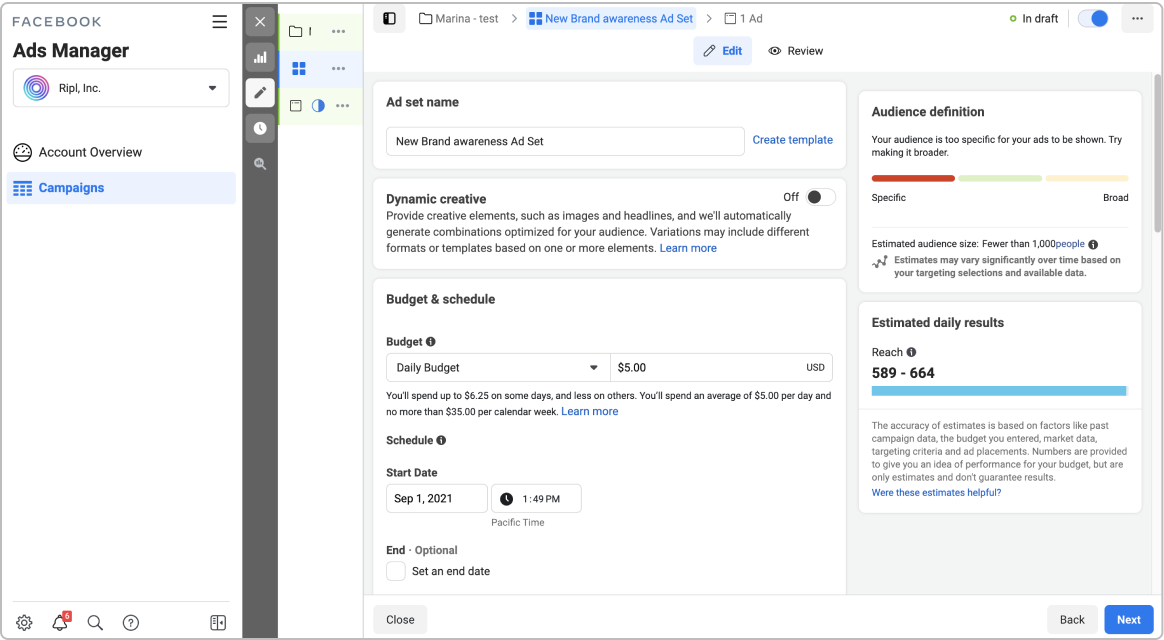
A multi-layered creation process
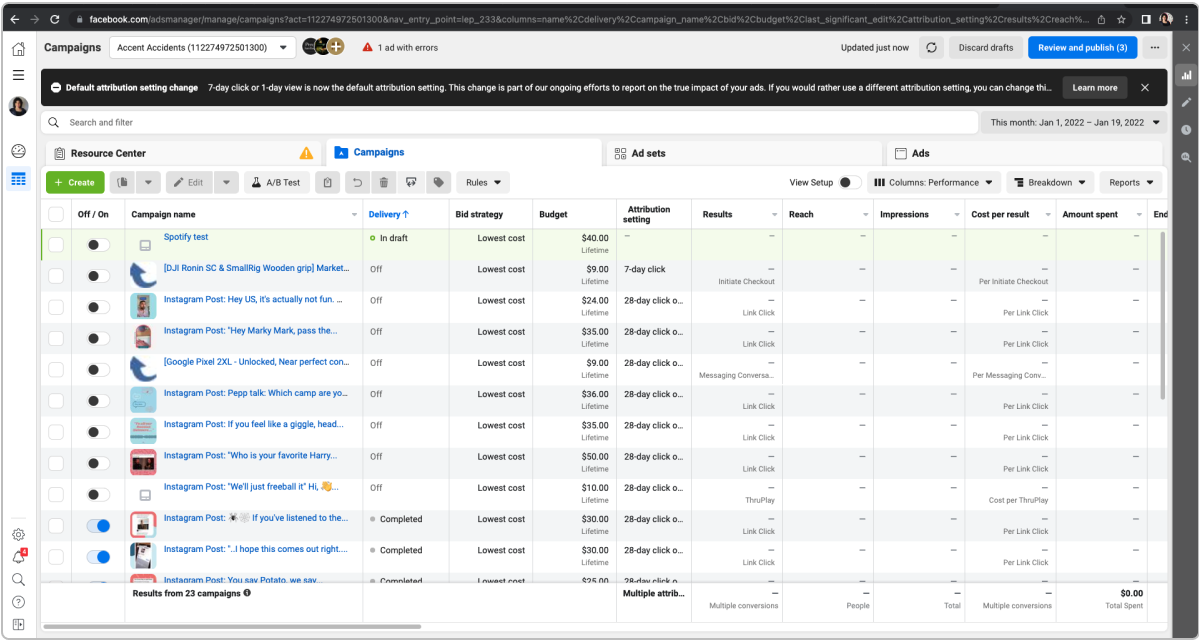
A complex overview dashboard
Ripl customers are small business owners who don’t have time to learn new technology or spend excess time running ads. How much can we simplify this ads experience without compromising on quality and performance?
Aligning on Goals
User Goals
To be able to quickly create and submit and ad (in and out)
To be able to understand their ad statuses and performance (what works? what doesn’t?)
Stakeholder Goals
To produce and launch an MVP as soon as possible
My Focus Areas
Part I
Designing an ad (customize experience optimization)
Ad details (defining audience, run date, and payment experience)
Part II
My Ads dashboard (analyzing ad performance experience)
Part I: Quick Overviews
Designing an ad
Ripl already has a Customize experience where users can combine text, images, and audio together to make custom branded content.
Designing the ad is an essential step in the creation process. Mistakes related to readability, image quality, etc. can result in a rejection by Facebook.
My team and I knew we had to utilize this page to give the user helpful guidance that would make their ad rejection-proof.
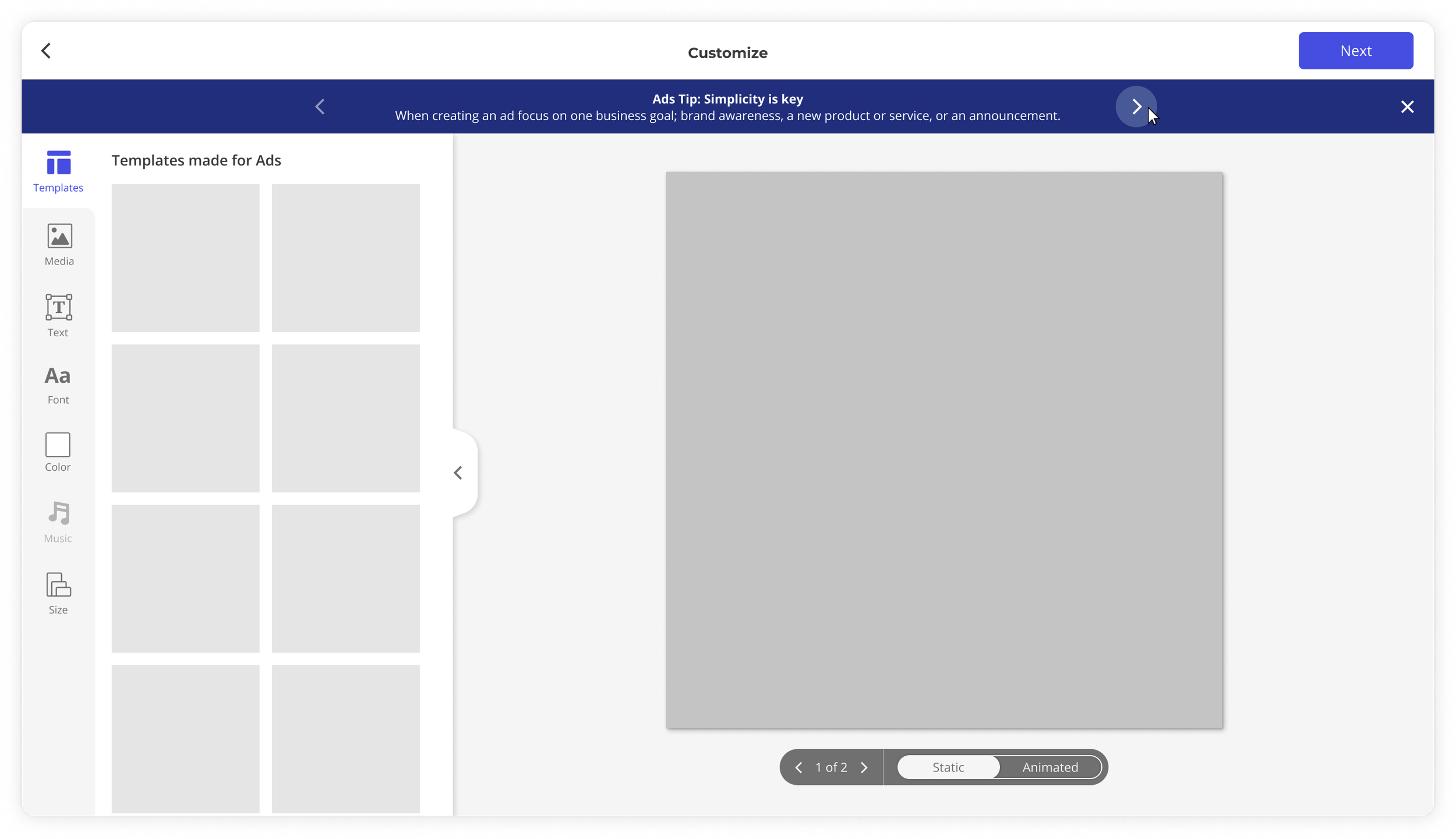
Guidance taken directly from FB sources
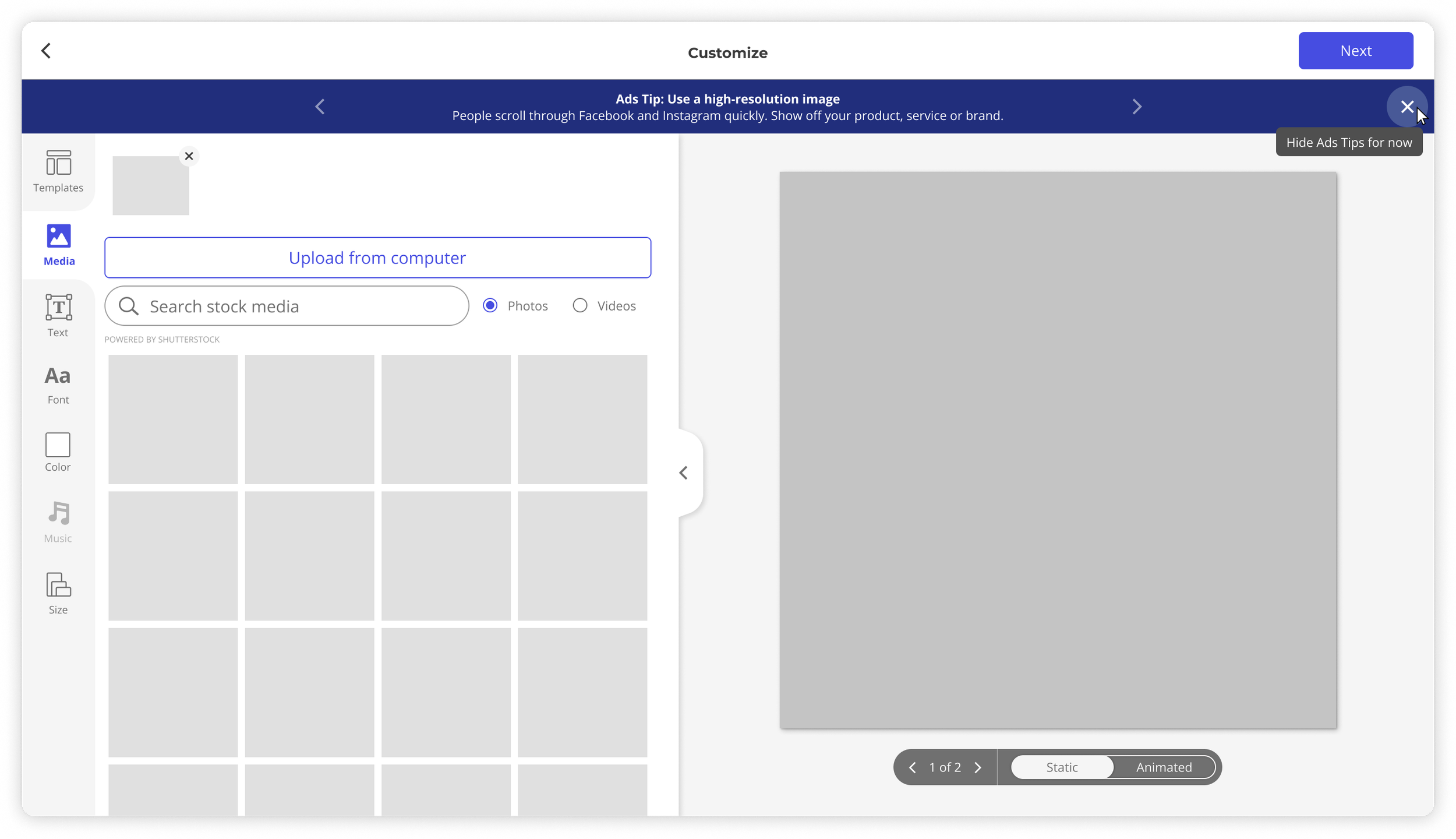
Tips are relevant to the control that is currently open
Ad Details
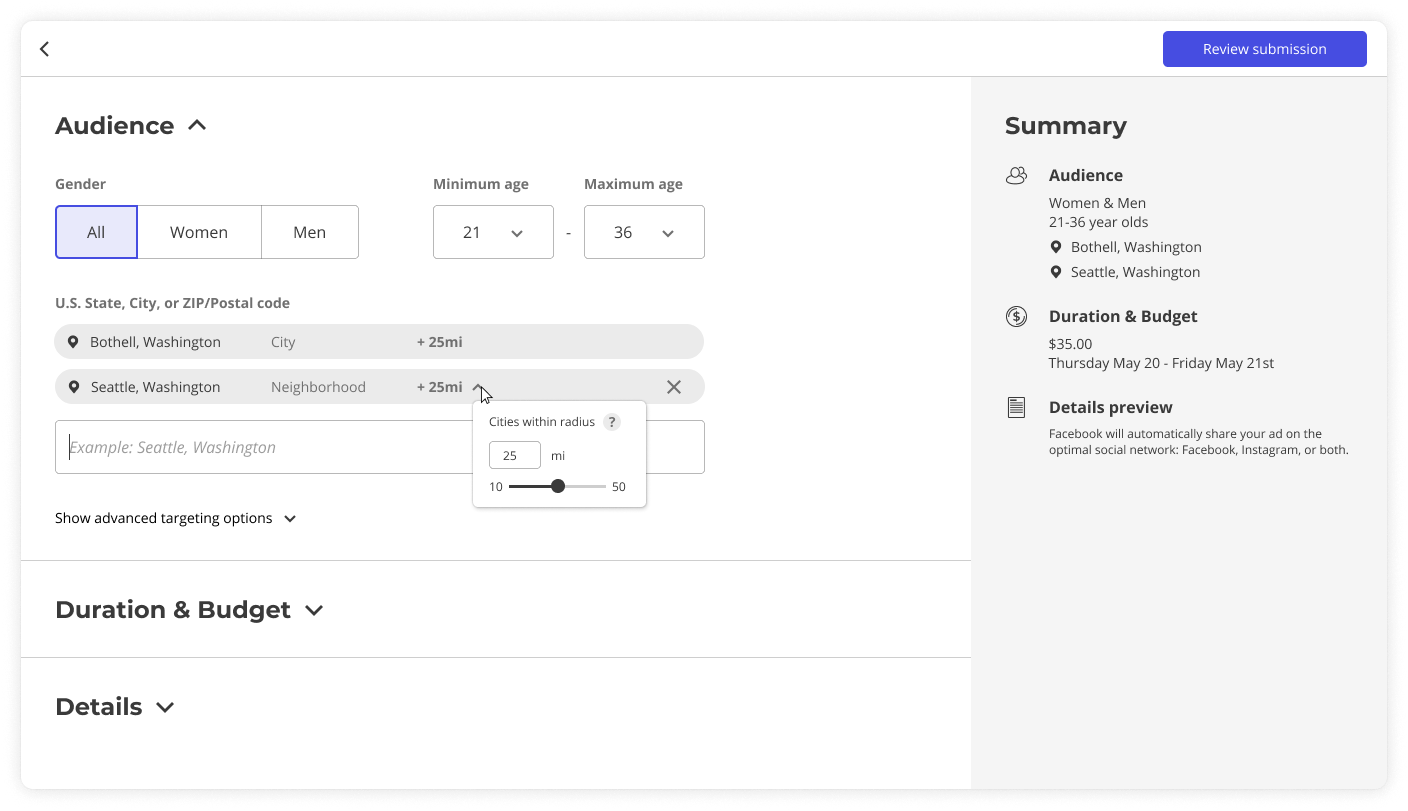
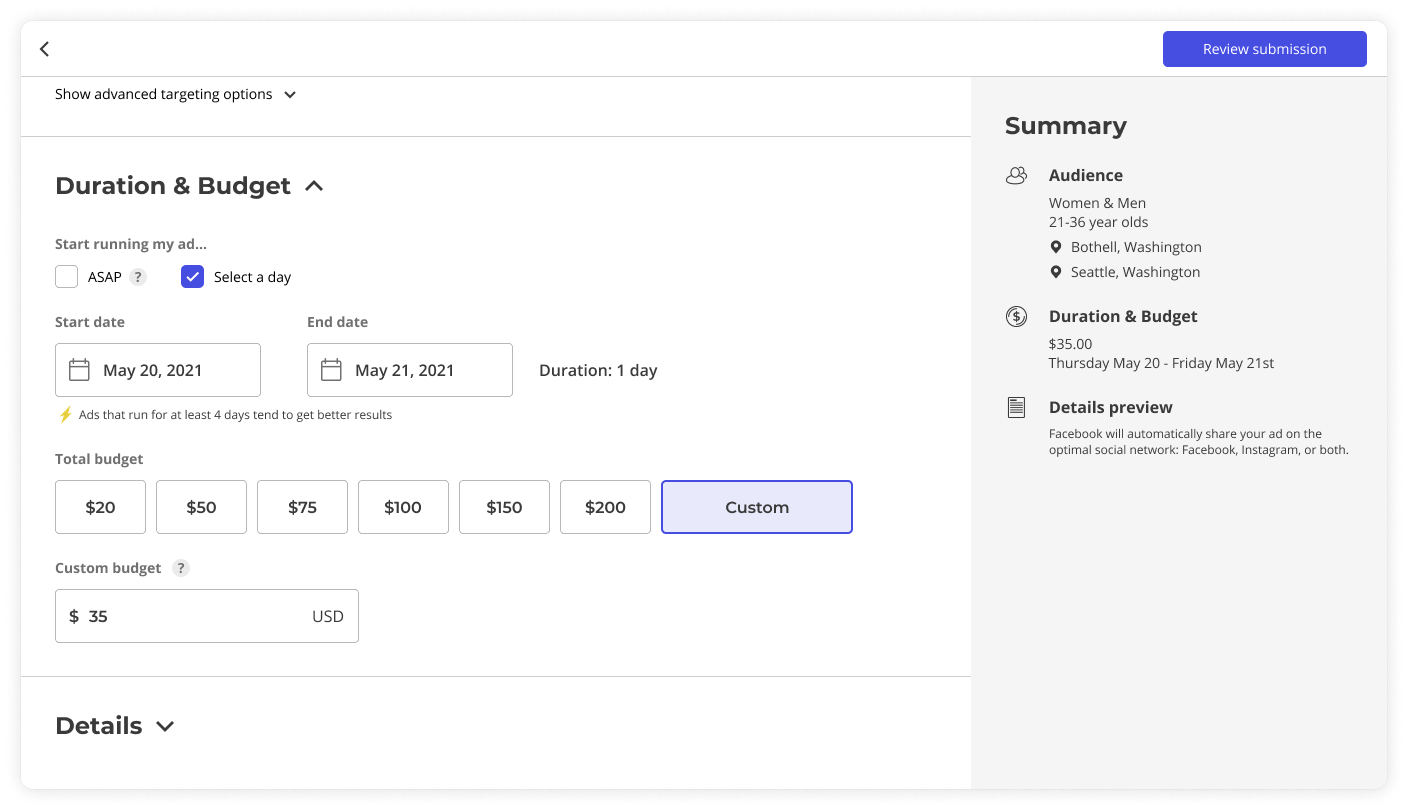
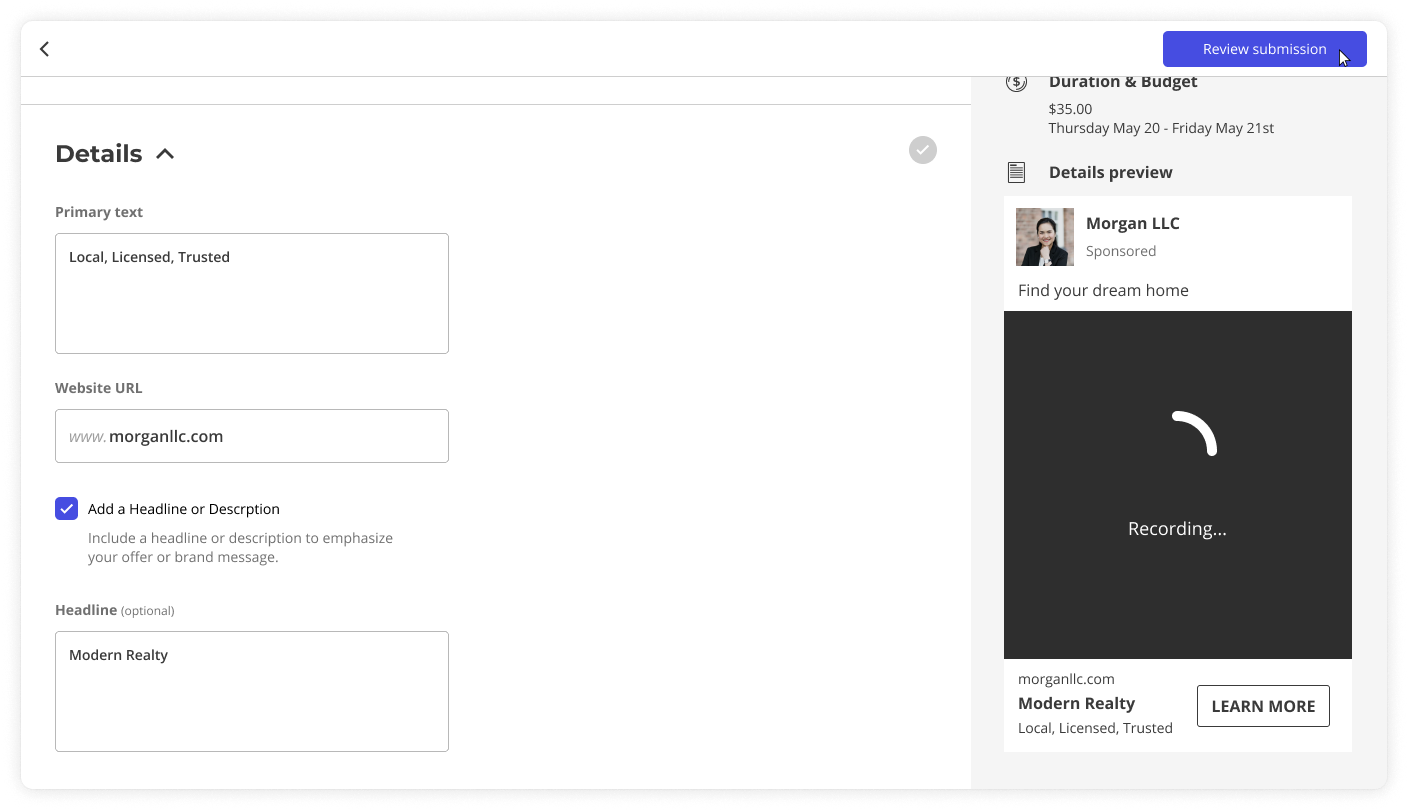
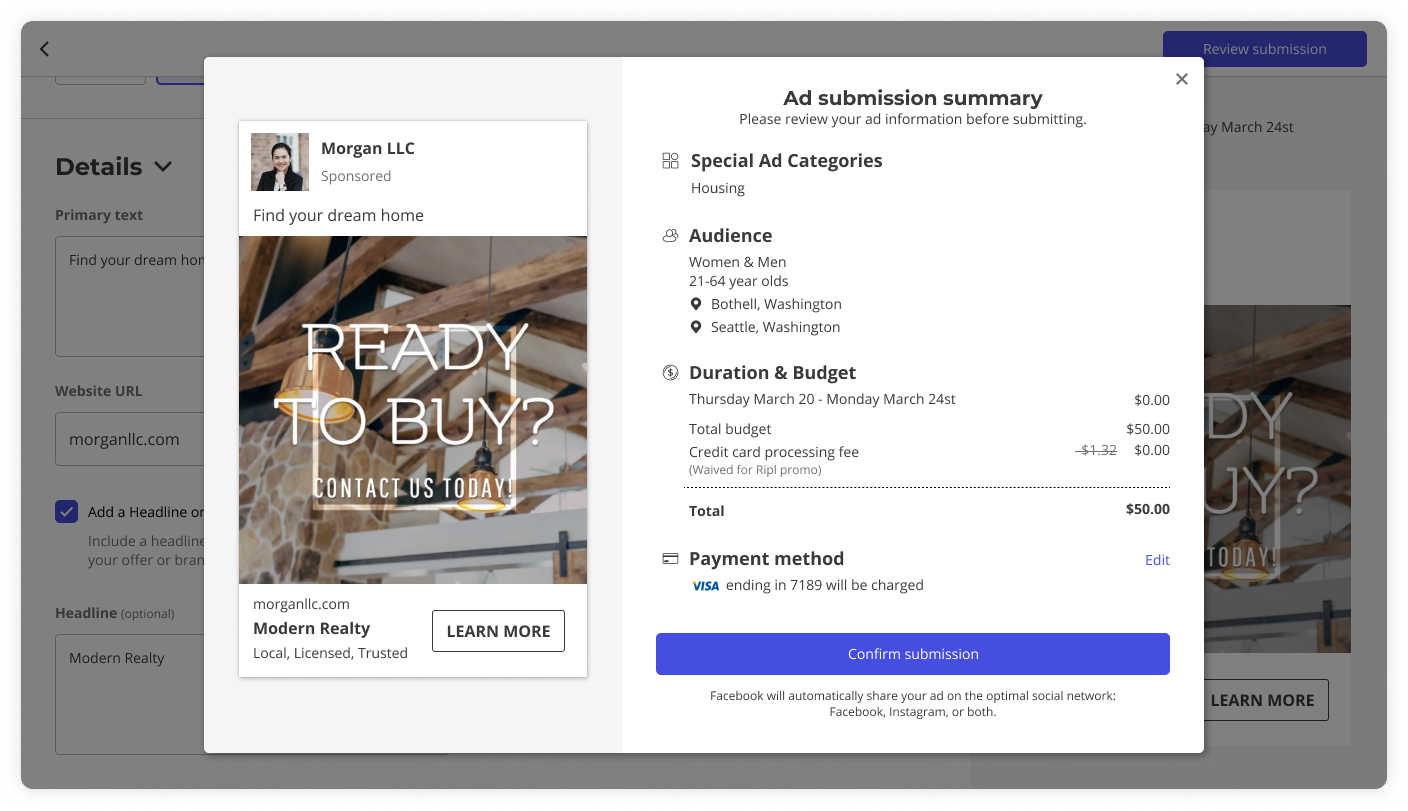
With a full FB ad creator integration, users are required to enter ad details such as Audience (who their ad will reach), Duration of ad & total ad Budget, and written Details such as headline and caption.
The inspiration for this page layout came from e-commerce checkout experiences. The left side of the page is where you input your preferences, and on the right side there is a running summary of your inputs.
Part II: My Ads Dashboard
The Brief
Redesign the dashboard where users track ad status and analyze performance. The current design (below) is lacking in scan-ability and organization.
Getting Aligned with the Team
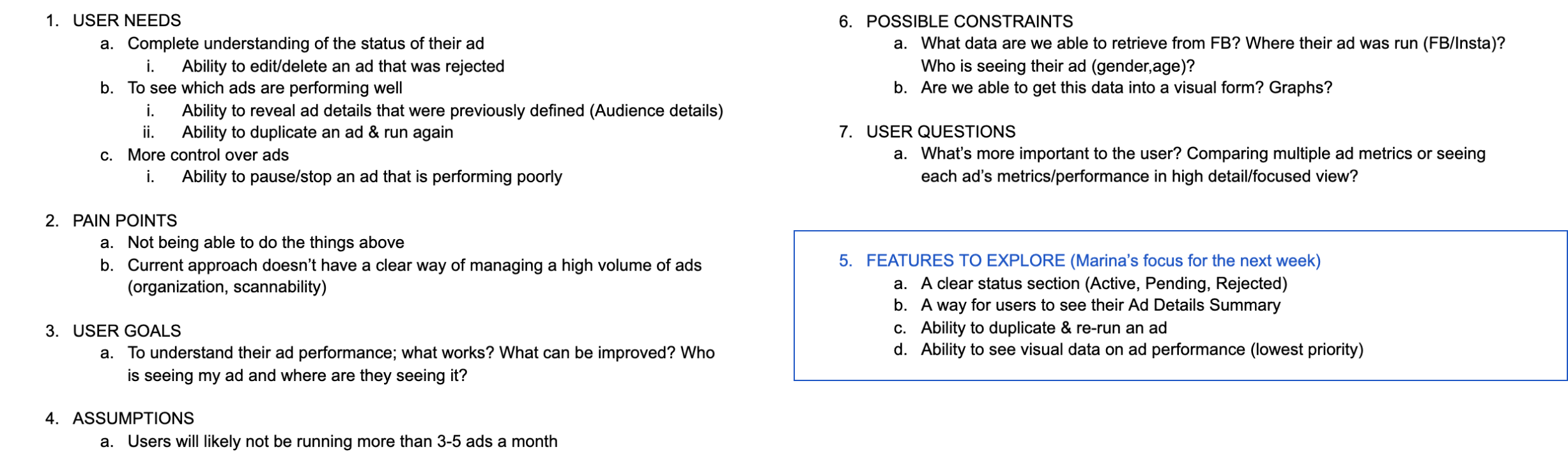
Analogous Experiences
What are other tools that allow the user to see an overview of information, with the option to dive deeper?
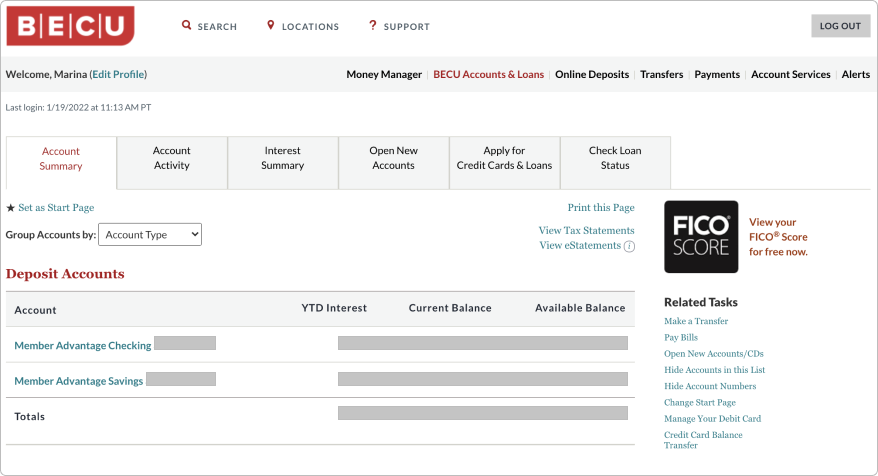
Banking apps
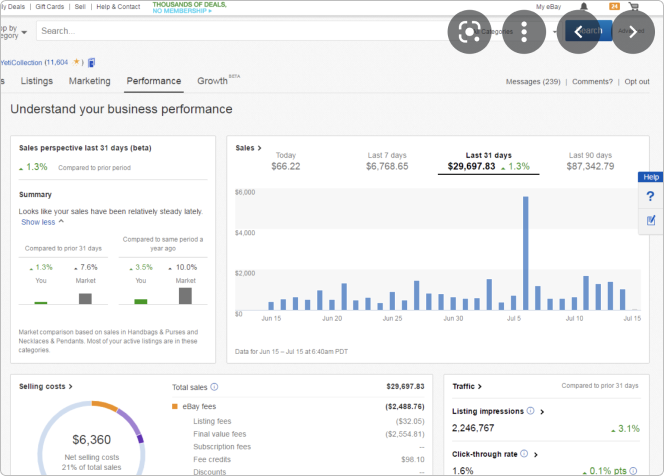
eBay
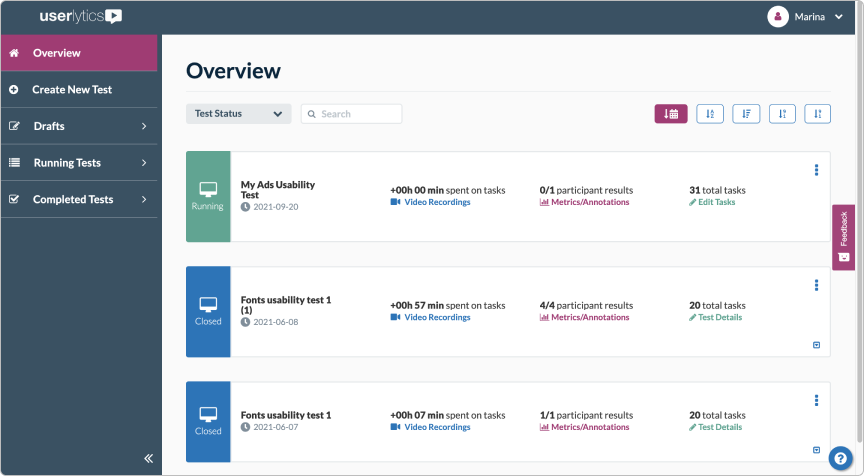
Userlytics
Iterating, Iterating, Iterating…
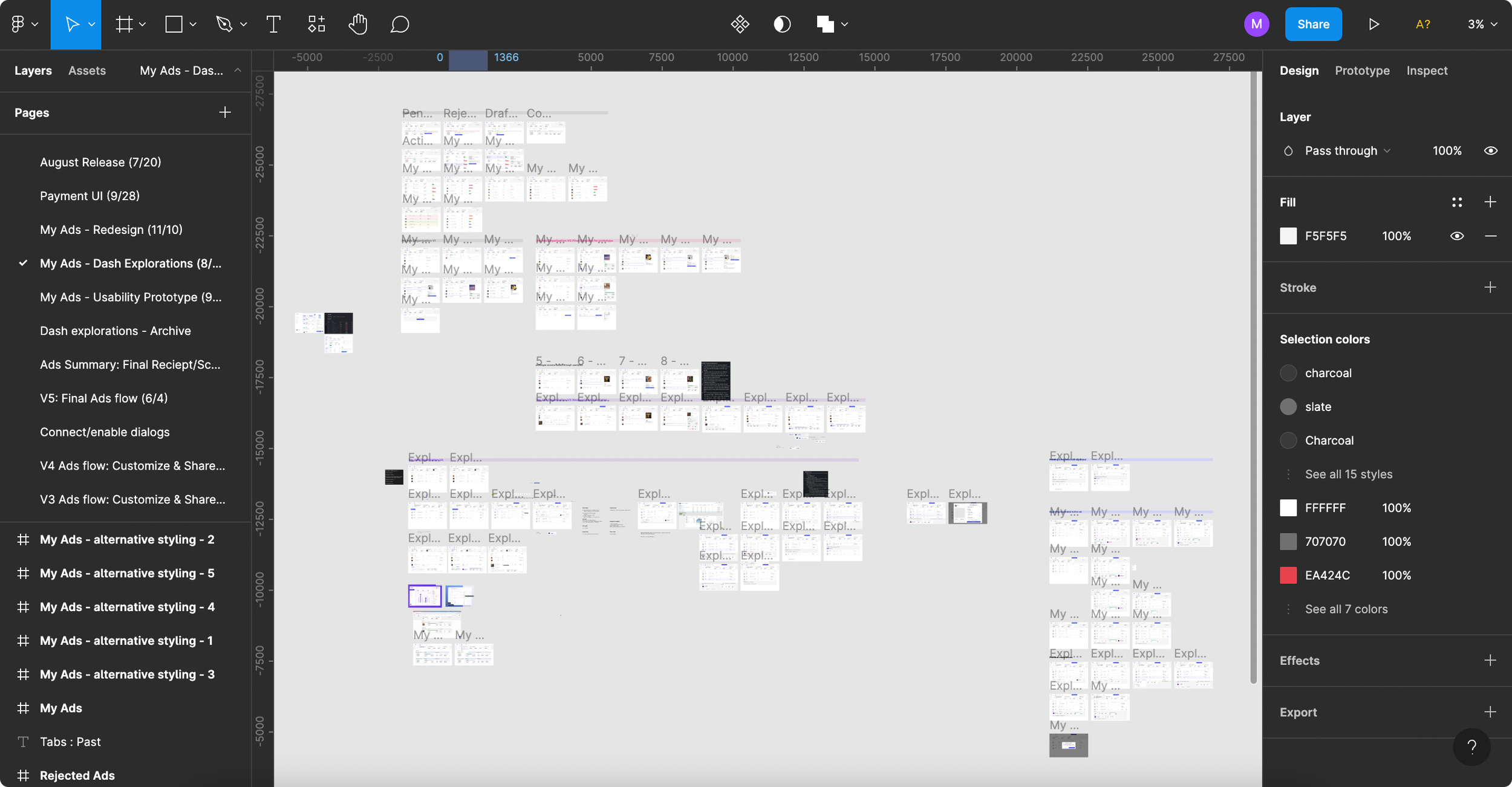
My Ads Dashboard: Usability Testing
I draft a usability plan & review it with my teammates.
Issues with current design
Organization is lacking - just a list of (potentially) endless ads
Consistency is lacking - currently different ad containers show different metrics depending on its status
Goals for new design
Ensure users can understand the organizing principle for My Ads
Ensure users can understand required actions for different ad statuses
Ensure labels and ad metrics are clear, useful, and easy to understand
What do we want to learn?
Is the new ordering principle intuitive and easy to navigate?
Do the different labels make sense to people? Current, past ads, etc.
What actions/metrics are missing that people may want to see?
Does the UI feel intuitive to interact with? (ex: clicking on an ad row to see more details)
Rejected ads: would the user feel confident in taking next steps on editing a rejected ad? Is the language supportive enough for them?
Test path & Script
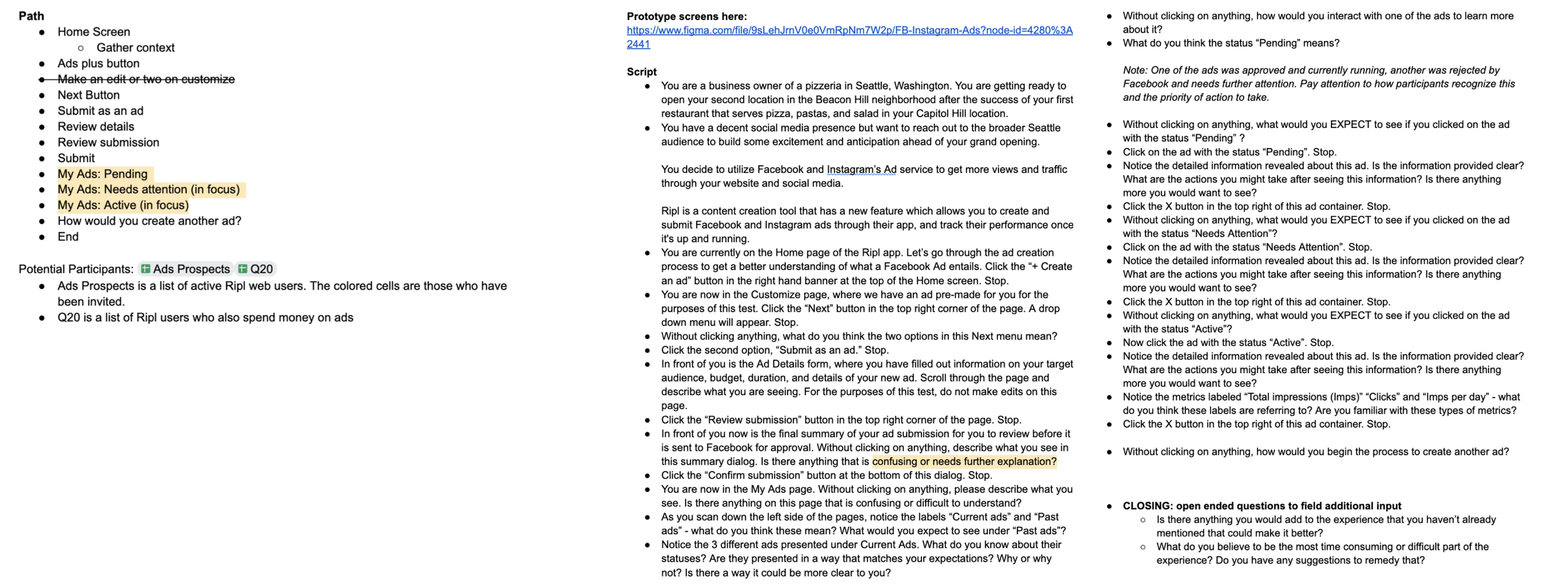
Testing
3 testers - each are small business owners who have run Facebook Ads before. At Ripl I conducted user testing via Userlytics where our audience is filtered through a short questionnaire and then taken through a carefully planned prototype where they are prompted with questions throughout. As a 1-person design team this was the most feasible option. Although 3 testers isn’t a comprehensive study, 3 people is better than zero.
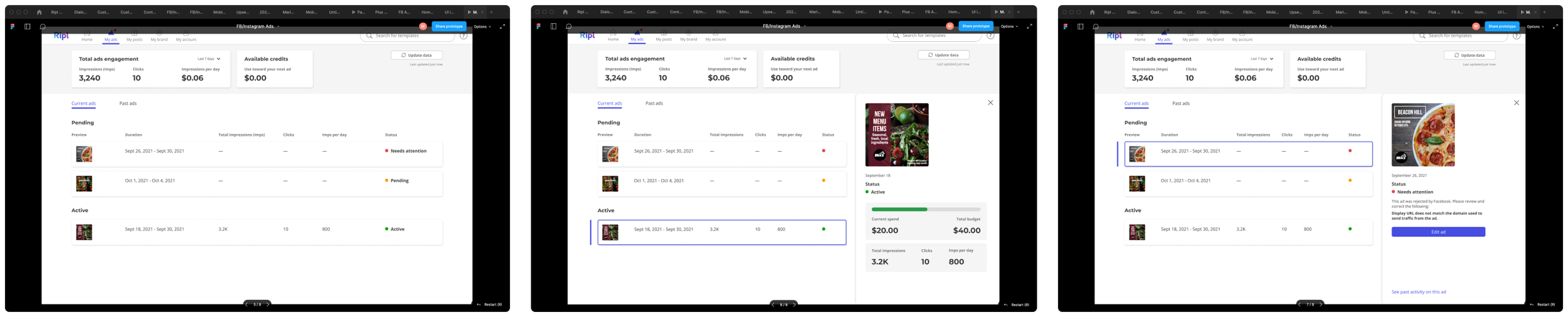
Clickable prototype is made in Figma and linked in the test

Test preferences are set and the script is input into Userlytics
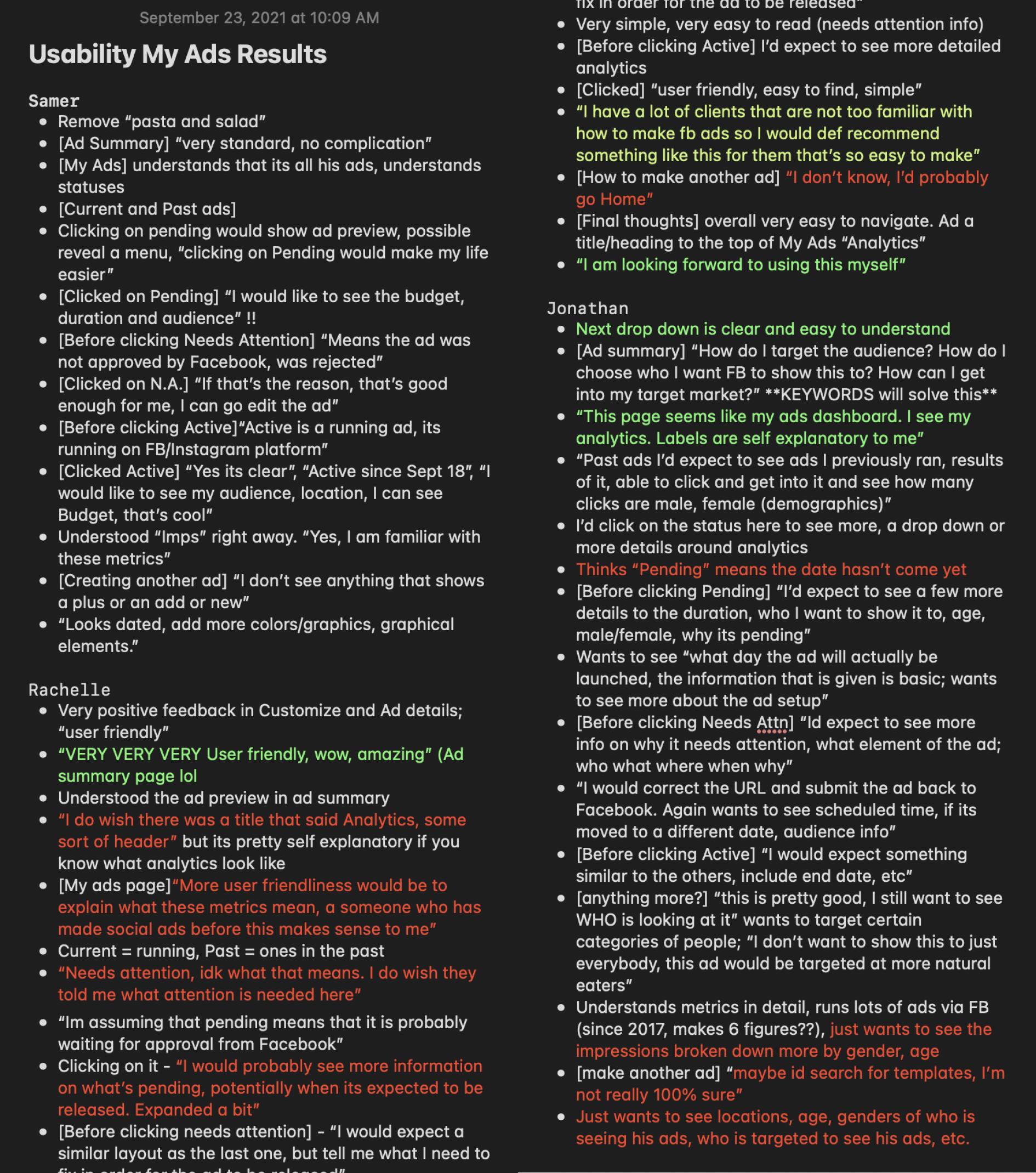
Insights from Testing
I review the testers’ recorded sessions and summarize insights & takeaways
(+) “I have a lot of clients that are not too familiar with how to make Facebook Ads so I would definitely recommend something like this for them that’s so easy to make”
(+) “I am looking forward to using this myself”
(+) Metrics and labels are perfectly clear to these testers
(+) Statuses are clear as well, people have a good idea of what to expect when they click on ads with different statuses (pending, needs attn, active)
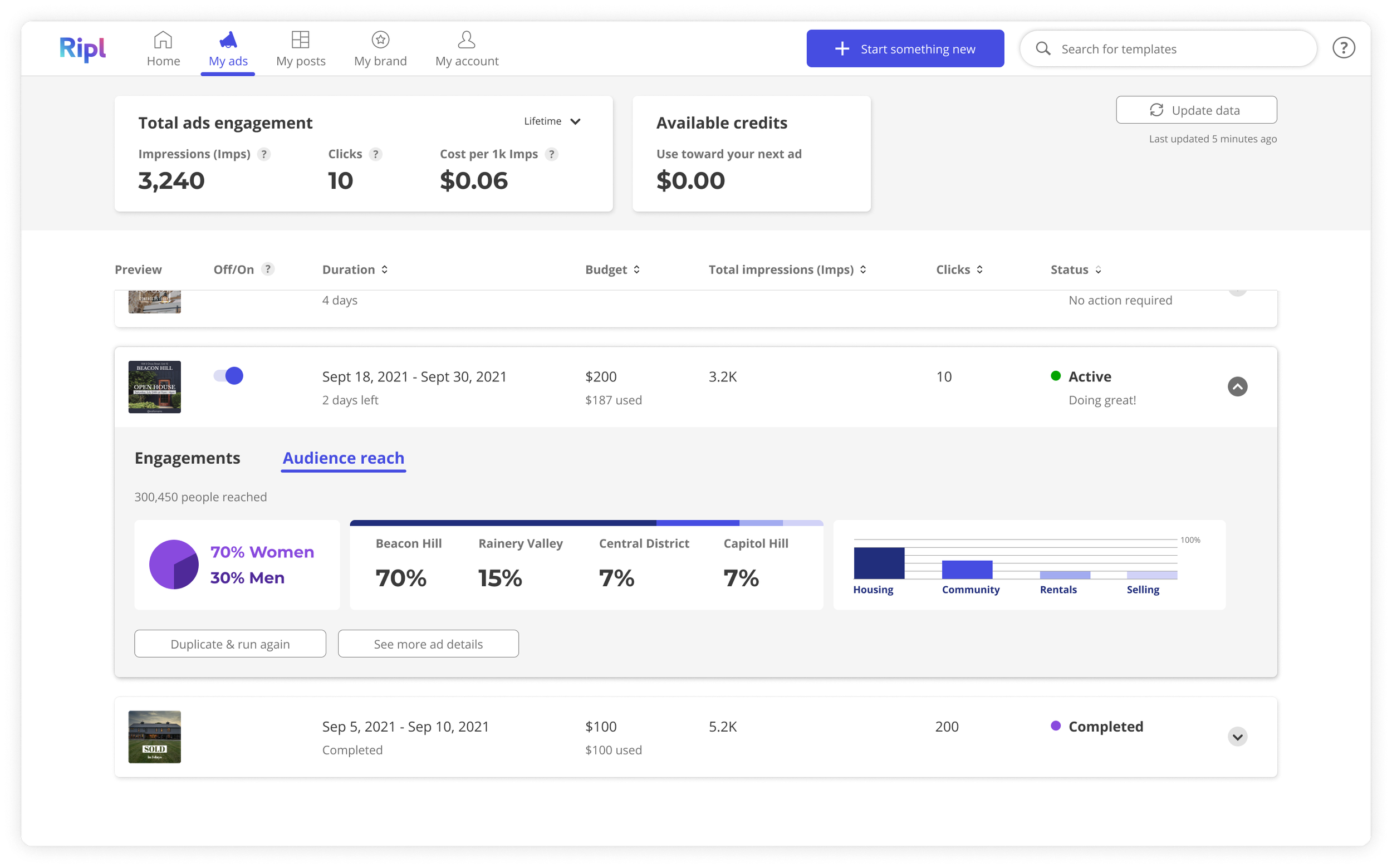
(-) 2/3 participants want to see they Audience information included under the detailed view of each ad in the My Ads page; keywords, age, gender
(-) Overall the detailed view of each ad could be richer in information; start and end date, audience information
(-) Metrics we use may not be clear to folks without ad experience.
(-) [We asked how would they make another ad from My Ads page] initial reaction was shaky “not sure…” but most could assume that they’d go Home or search for another template.
My Ads Dashboard - Final Design
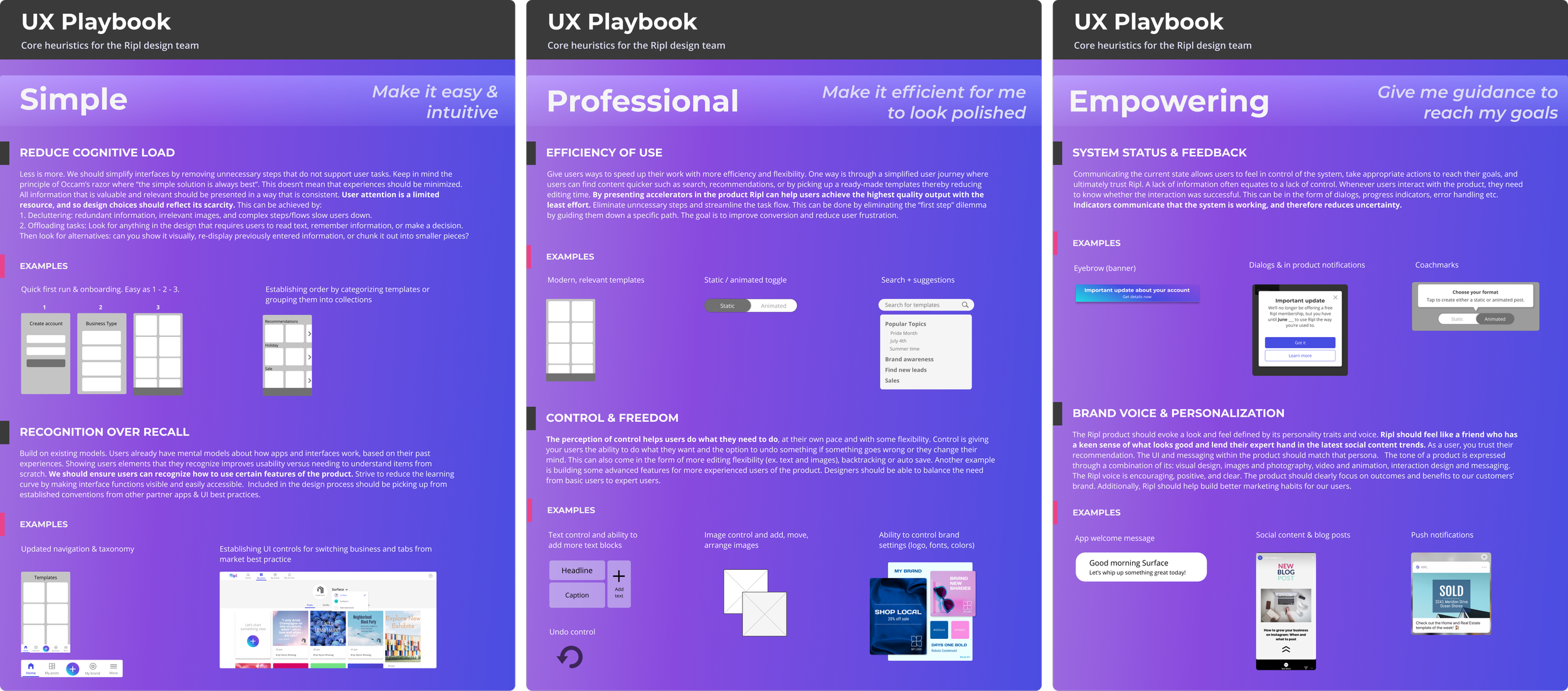
Align with Ripl UX Playbook
Before finalizing a design I make sure to go through our playbook and ask whether the proposed design checks off our team’s core heuristics. Is it simple? Is it professional? Empowering?
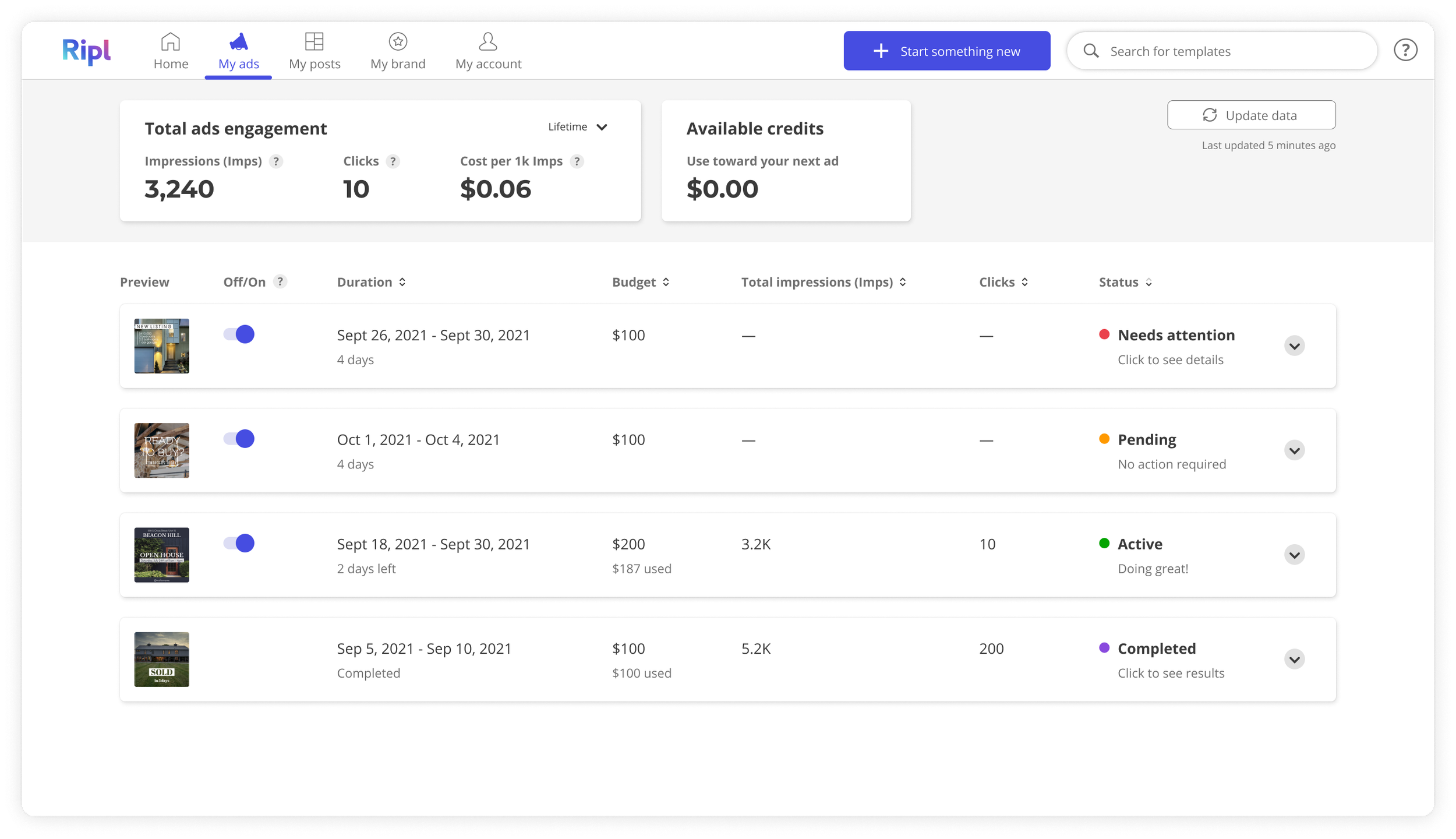
Final Design - My Ads Dashboard
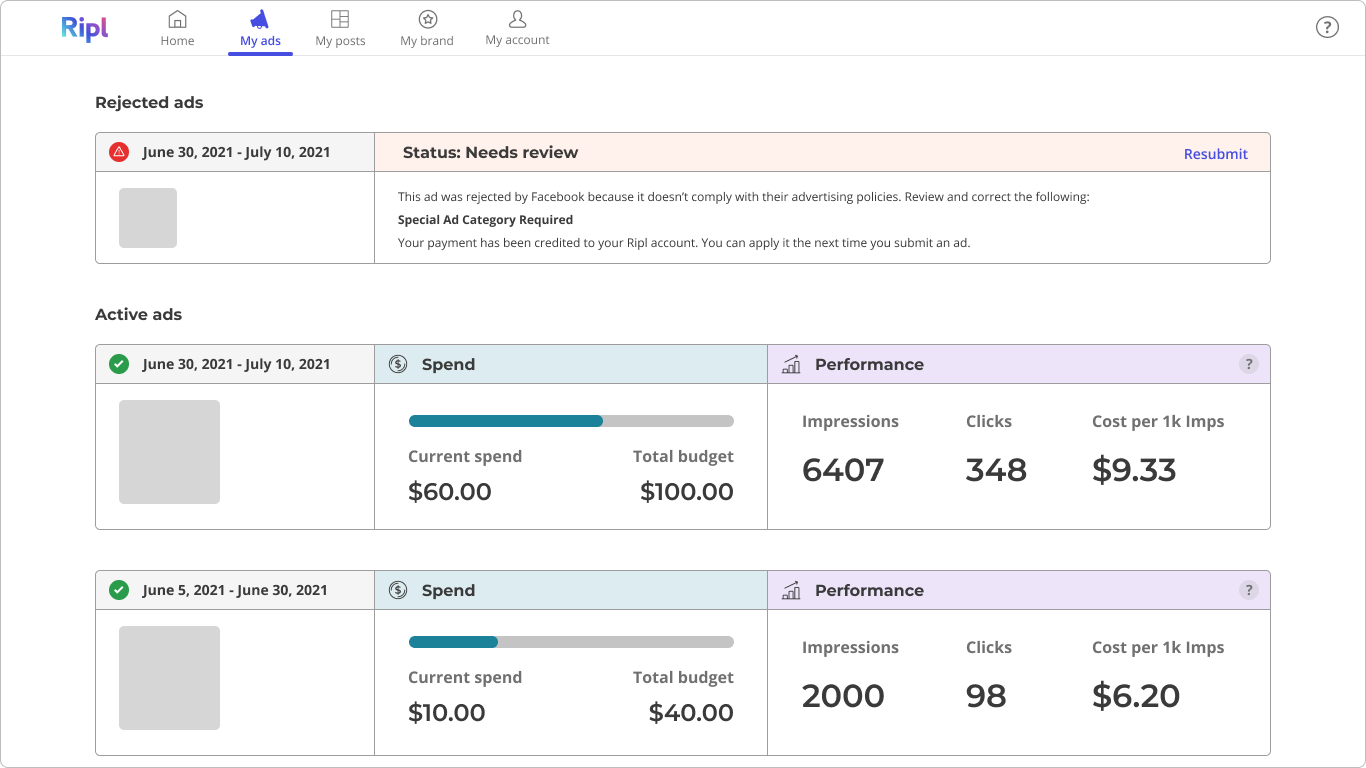
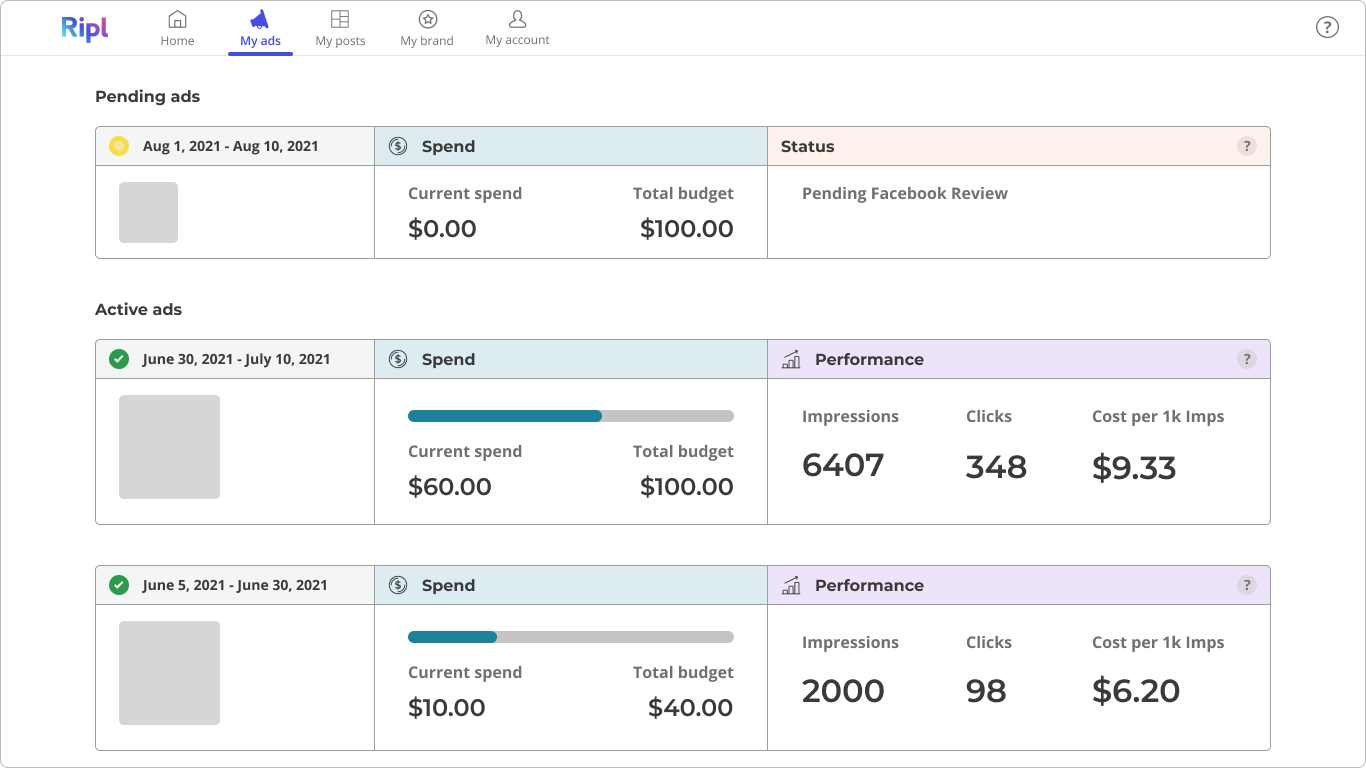
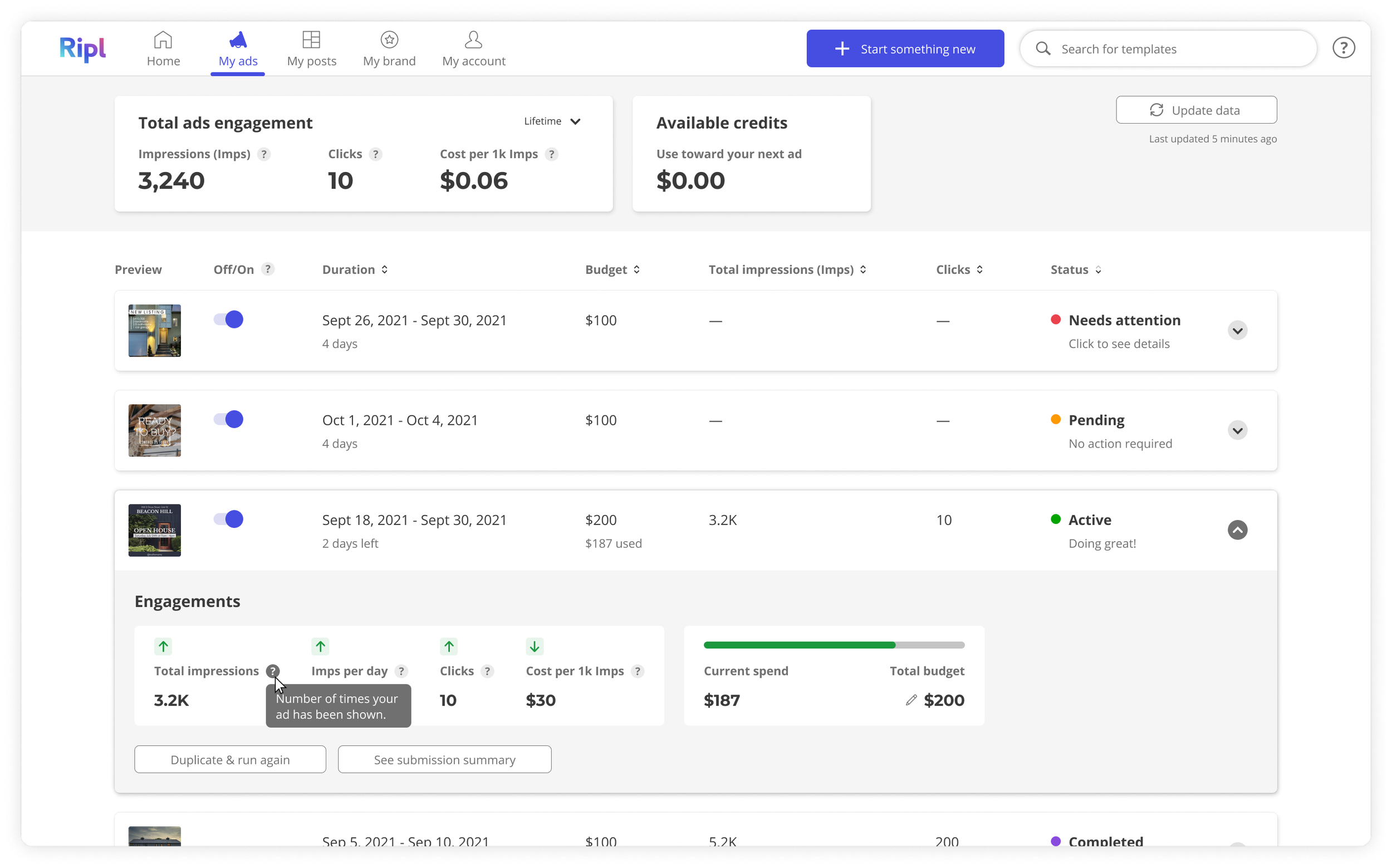
A clear status section (Active, Pending, Rejected)
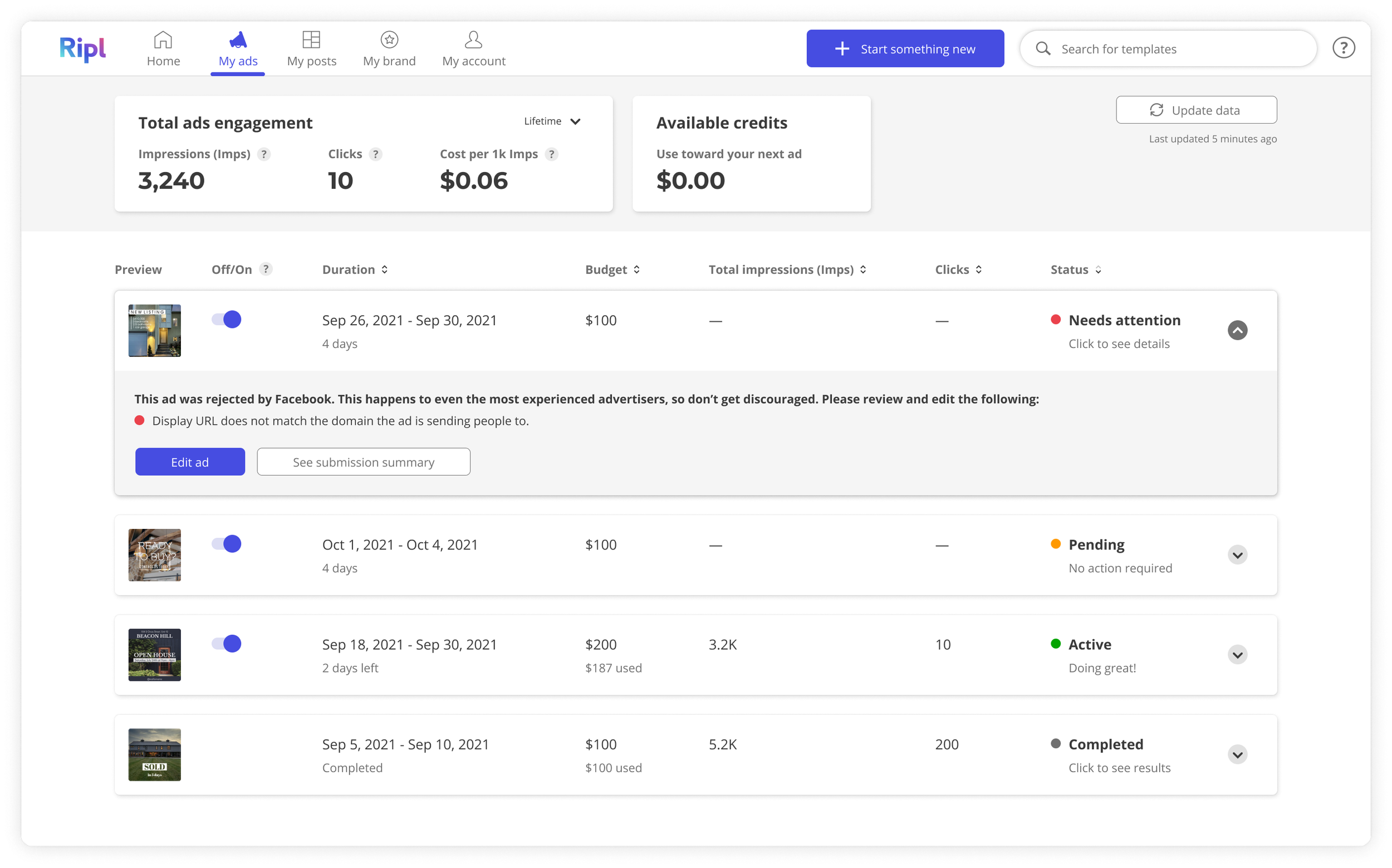
Final Design - My Ads Dashboard
Clear information & action on Rejected ads
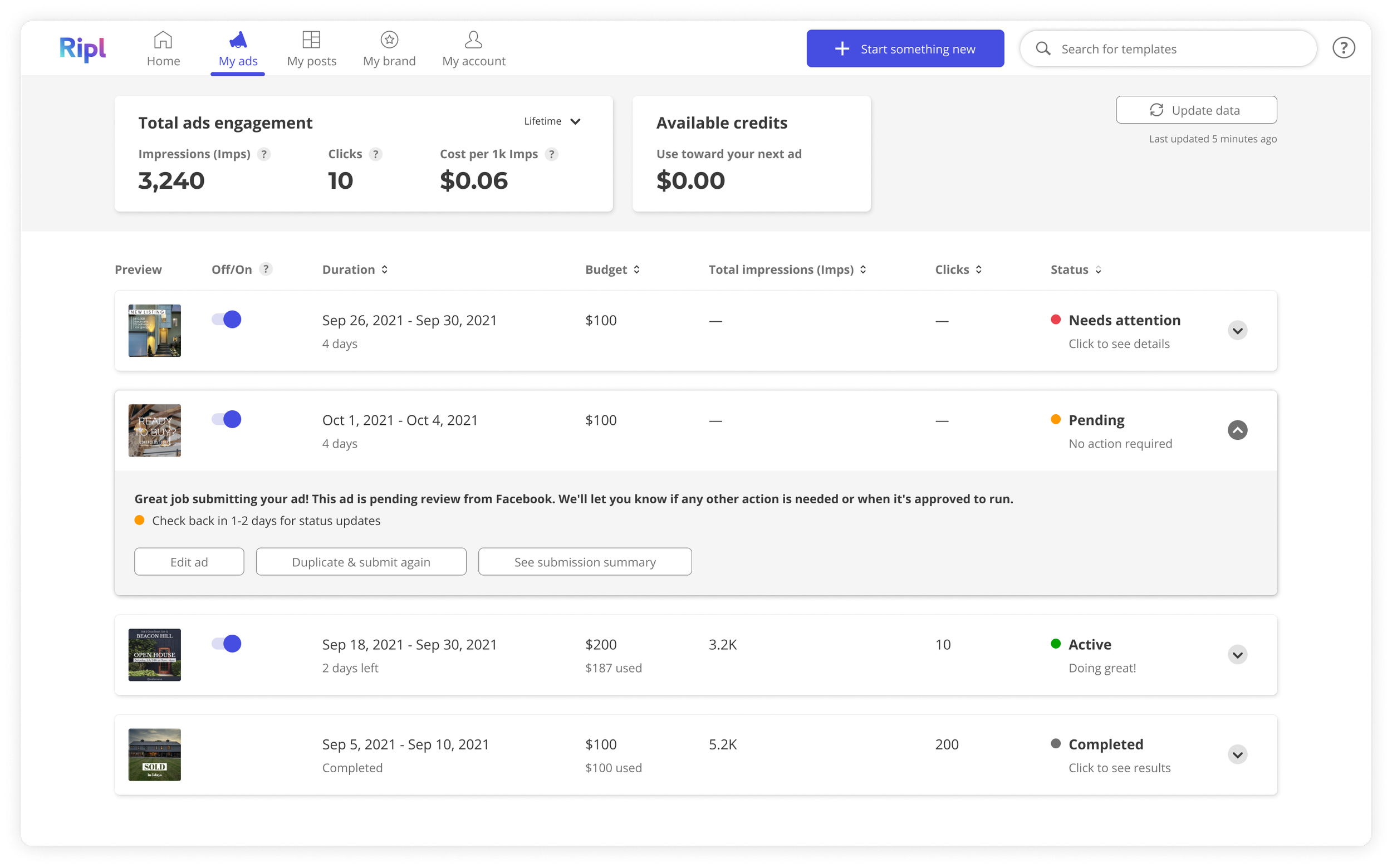
Final Design - My Ads Dashboard
A way for users to see additional Ad Details and easily duplicate an ad for a faster Customize process
Final Design - My Ads Dashboard
The option to learn more about what a metric means
Future Thinking - My Ads Dashboard
Ability to see visual data on ad performance (testers wanted to see richer performance metrics)
Final Thoughts
The final outcome of this project does not quite hit my standard for final UI execution. The nature of working at a startup means stakeholders want MVP’s released as soon as possible, which means minimal developer effort, which often means compromising on design. If I had stayed in this role longer I would have loved to apply more app-like details to the ads dashboard.